
Set up correction categories
Choose the subcategories your team picks from when it records an inspection correction under Plans or Field work.
Every inspection correction is filed under Plans or Field work. A subcategory says more, such as Labeling or Structural. Picking one is optional. You choose the list for your company.
Before you start
You need the Owner or Admin role to add or change subcategories. Other roles that can open Settings can view the lists.
Add a subcategory
- Go to Settings → Operations → Correction categories.
- Under Plans or Field work, whichever the subcategory belongs to, click Add subcategory.
- Type a Name, up to 60 characters.
- Click Add subcategory.
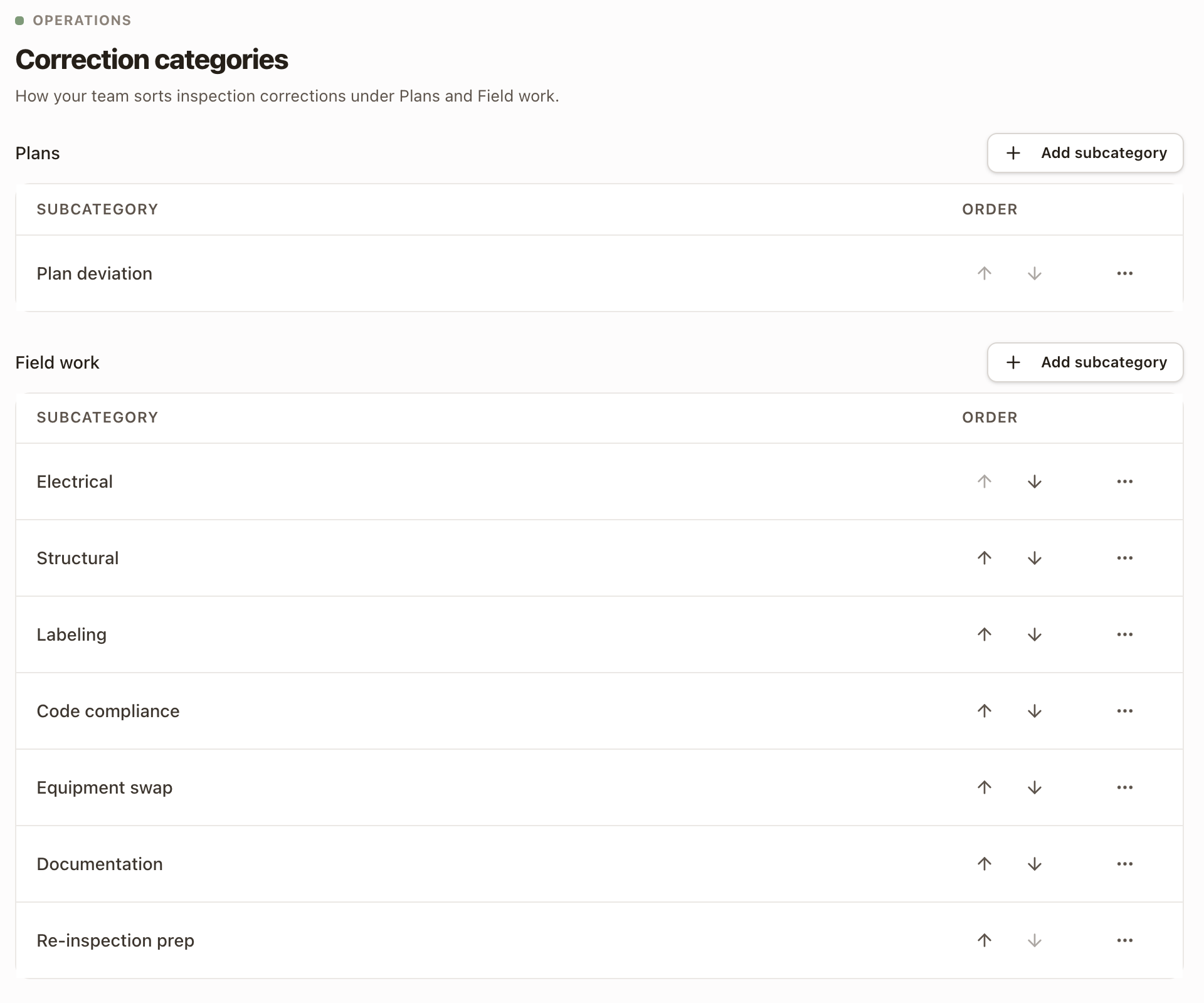
A new subcategory goes to the end of its list and is offered right away. A company starts with Plan deviation under Plans, and Electrical, Structural, Labeling, Code compliance, Equipment swap, Documentation, and Re-inspection prep under Field work.
Change a list
- Reorder with the up and down arrows under Order. A subcategory moves within its own list.
- Rename with ⋯ → Edit, then click Save changes.
- Archive with ⋯ → Archive, then click Archive to confirm. An archived subcategory isn't offered on new corrections. Corrections that already have it keep it.
- Bring one back by adding a subcategory with the same name.
Where your team sees them
A Subcategory list shows on a correction once the person has chosen Plans or Field work, if that category has subcategories. It shows on the technician's report, on the desktop report, and when the office records a result from the permit. The correction reads, for example, Field work · Labeling. The inspection's Corrections table has a Subcategory column, and the Schedule corrections dialog names it under each correction.
For how corrections are recorded and scheduled, see Work permit inspections on a project.
Check it worked
Add a correction on a permit inspection report and choose Field work. Your subcategory is in the Subcategory list.
Common problems
- A message says a subcategory with this name already exists. Names are shared across Plans and Field work. Pick a different name, or bring back the archived one by adding its name.
- I can't find Add subcategory. You need the Owner or Admin role.
- The Subcategory list doesn't show on a correction. Choose Plans or Field work first. The list is left out when that category has no subcategories.
- I changed a correction's category and lost its subcategory. A subcategory belongs to one category. Pick another after you change the category.
Set up permit inspections
Tag a work type and a report type for permit inspections, then add a Permit inspection step to a project template.
Set up application types
List the lenders, utilities, and agencies your team files with, the milestones each application moves through, and the fields and instructions it needs.