
How operations works
An overview of the two kinds of work in Operations, projects and service work, and how they meet.
Operations is where solar contractors deliver the work they sold. There are two kinds of work here:
- Projects: the install work a customer bought. A Project is built from a Project Template into stages and work items (tasks, permits, applications, plan sets, work orders, payments), and moves through those items until the job is done.
- Service work: everything that happens after the install, or that a customer reports as a problem. It starts as a Case, which turns into Work Orders that get scheduled and dispatched to a technician, who fills a Report when the visit is done.
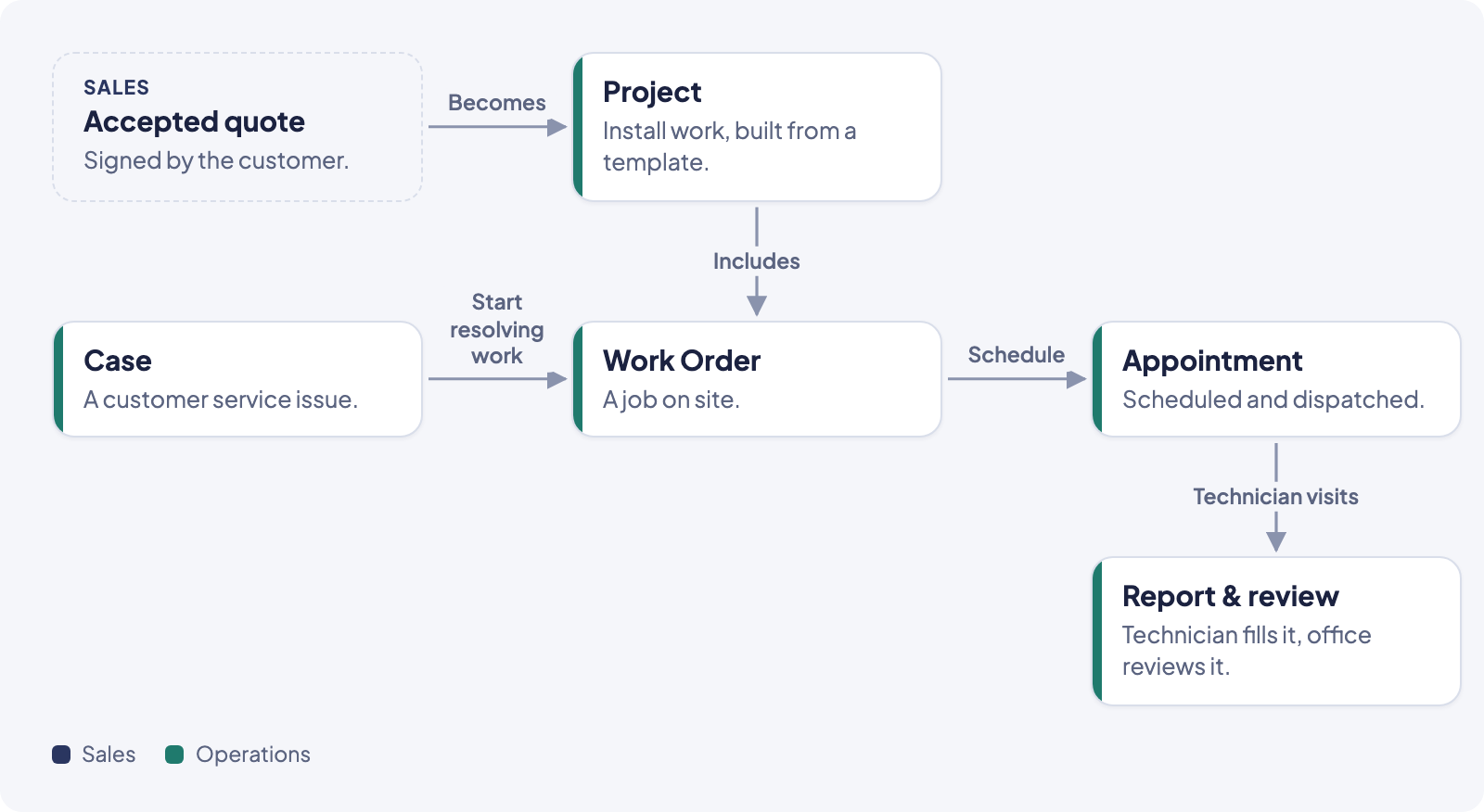
Where the two paths meet
A Project and a Case aren't separate systems. A Work Order can live inside a Project's stages (for example, an install day or a final inspection), or it can stand alone, created directly from a Case. Either way, a Work Order is scheduled the same way, shows up on the same Dispatch Board, and drives the same technician Report.
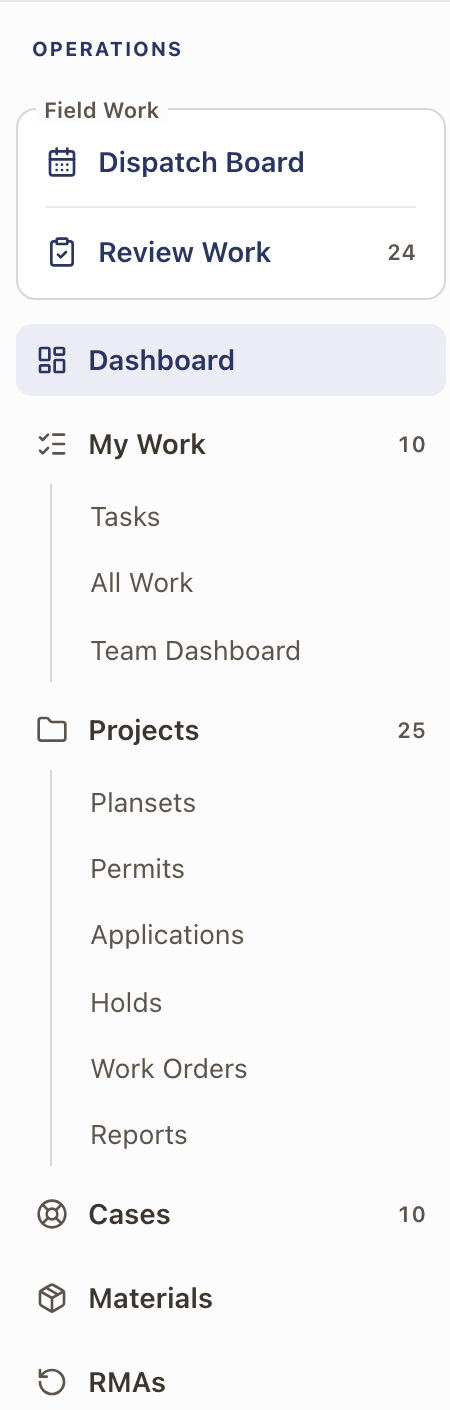
The Operations menu
The left sidebar under Operations lists:
- Field Work, a box at the top with two rows:
- Dispatch Board: the day-to-day calendar for scheduling and dispatching technicians.
- Review Work: tracks each finished work order through Visit, Review, Follow-up, and Billing, with a full History.
- Dashboard: every active project as a small colored card under its stage, with the ones that need attention counted. See Read the Operations dashboard.
- My Work: your own open work, with Tasks, All Work, and (for managers) Team Dashboard.
- Projects: every Project, as a list, board, or map. Under it:
- Plansets: plan sets for projects. See Plan sets.
- Permits and Applications: permit and application records across projects.
- Holds: every project hold, active or resolved.
- Work Orders: every Work Order, whether it belongs to a Project or not.
- Reports: technician visit reports.
- Cases: every service Case.
- Materials: the Material Requests list of material orders.
- RMAs: equipment returns.
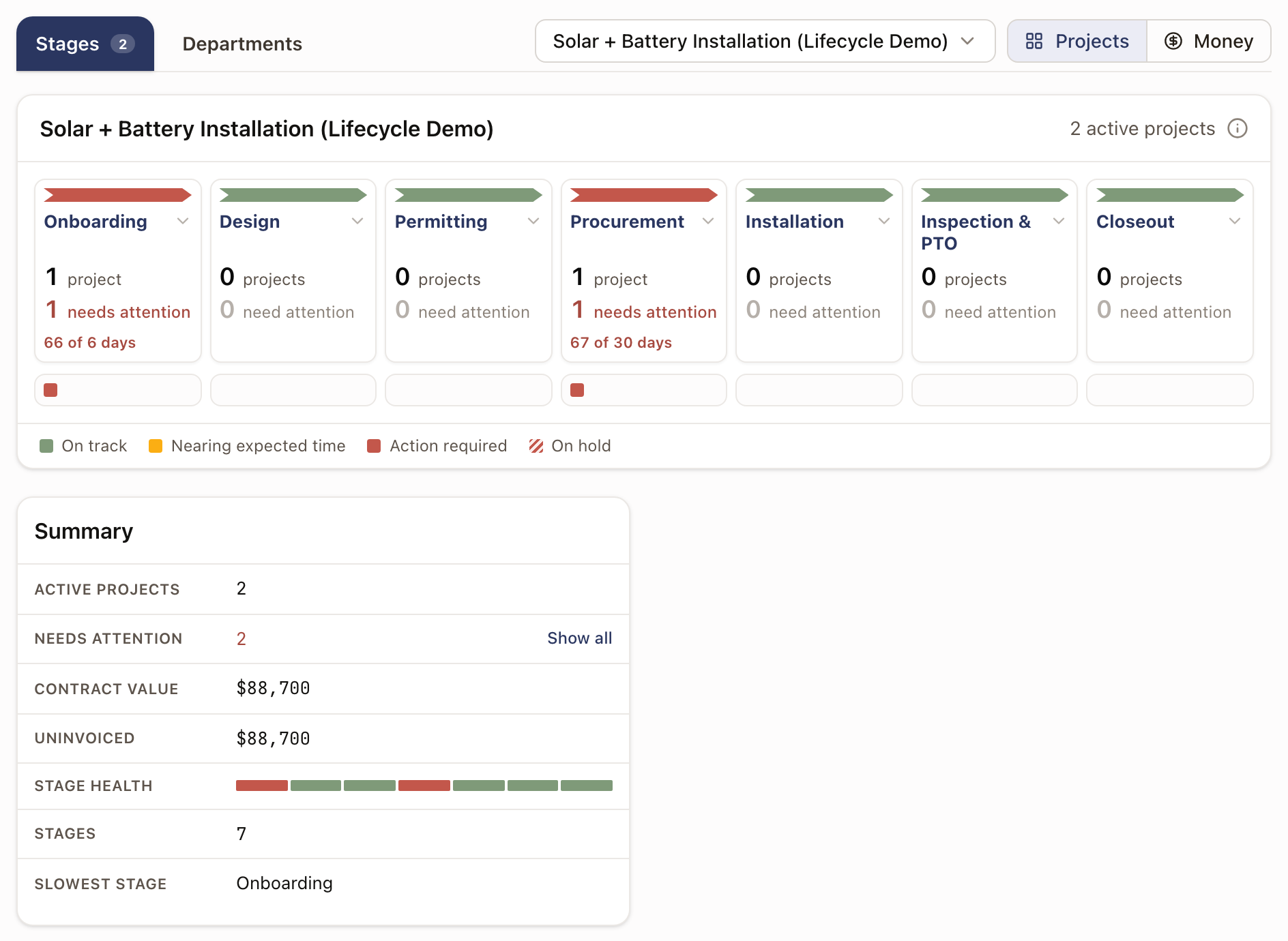
The Dashboard page opens on a strip of stages for the project template with the most active projects. Each stage is green, yellow, or red, with a small card for every active project under it. Click a stage to see its steps and projects. The Departments tab shows how each department's work is going.
Guides in this section
- How projects work: the project record chain, stages, work items, and statuses.
- Service work: cases, work orders, review, and close-out.
- Scheduling & dispatch: the Dispatch Board and appointments.
- Technician app: what a technician sees in the field.