
Merge duplicate cases
Combine two or more open cases about the same problem into one, and choose what moves to the case you keep.
When a customer reports the same problem twice, you end up with two cases. Merge them so the work, the notes, and the history live on one case. Merging closes the extra case as Merged and hides it from the lists.
Before you start
You need the Owner, Admin, Operations Manager, or Operations User role. Changing the owner in the details step also needs Operations Manager, Admin, or Owner.
Only open cases for the same customer and the same property can be merged. A closed case can't be merged. If two customers are really the same person, merge the customers first.
Steps
-
Open one of the cases from Operations → Cases.
-
Click the ⋯ menu and pick Merge duplicates…. If the case has an Other open cases card, you can click Merge beside a case there instead. That opens the same panel with that case already picked.
-
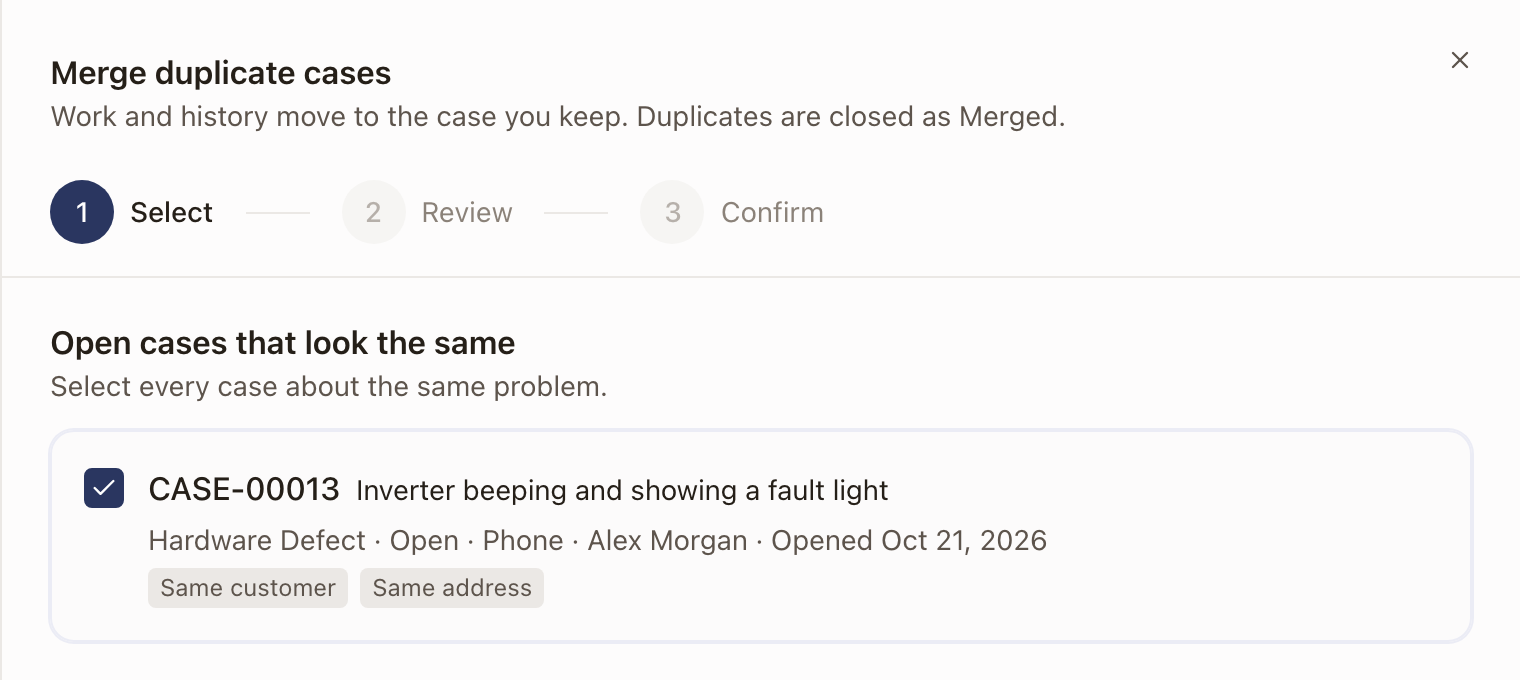
Under Open cases that look the same, select every case about the same problem. Each shows why it was suggested, such as Same customer or Same address. A case that can't be merged is greyed out with the reason. Click Review 1 duplicate.
-
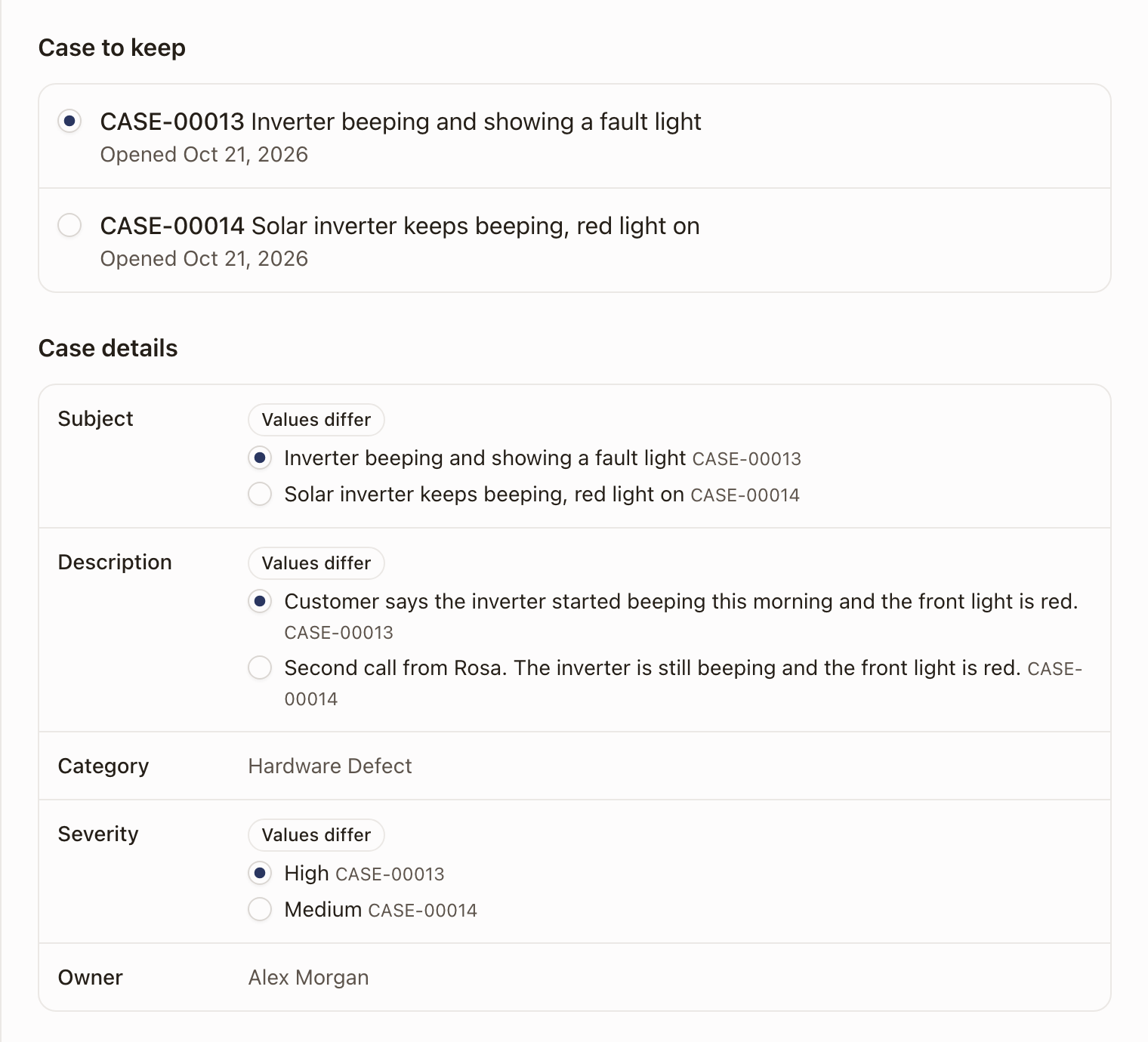
Under Case to keep, pick the case that stays. The oldest case is picked for you, so the customer keeps their original case number.
-
Under Case details, check Subject, Description, Category, Severity, and Owner. Where the cases differ, a Values differ tag appears. Pick the value the kept case should have.
-
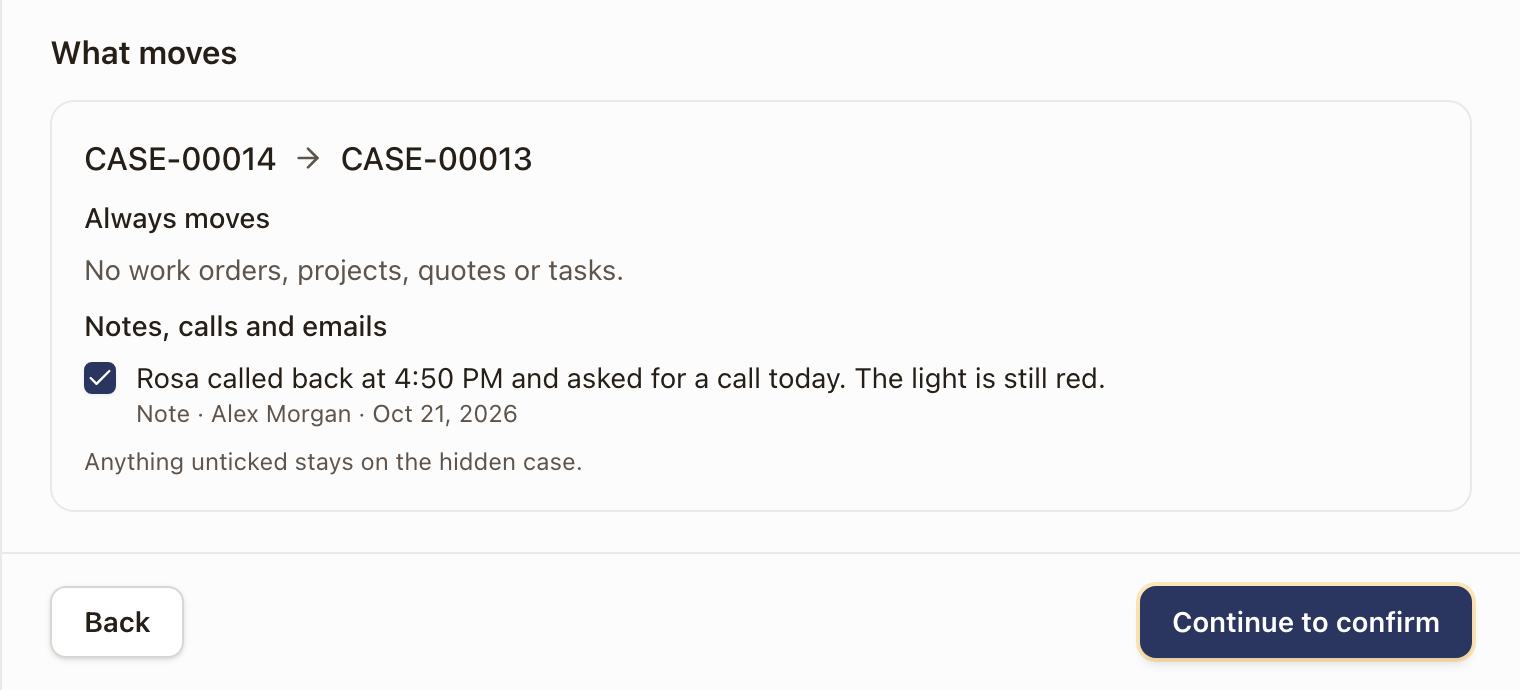
Under What moves, look at each duplicate. Everything under Always moves goes to the kept case. Under the groups below it, clear the box on anything that should stay behind. Click Continue to confirm.
-
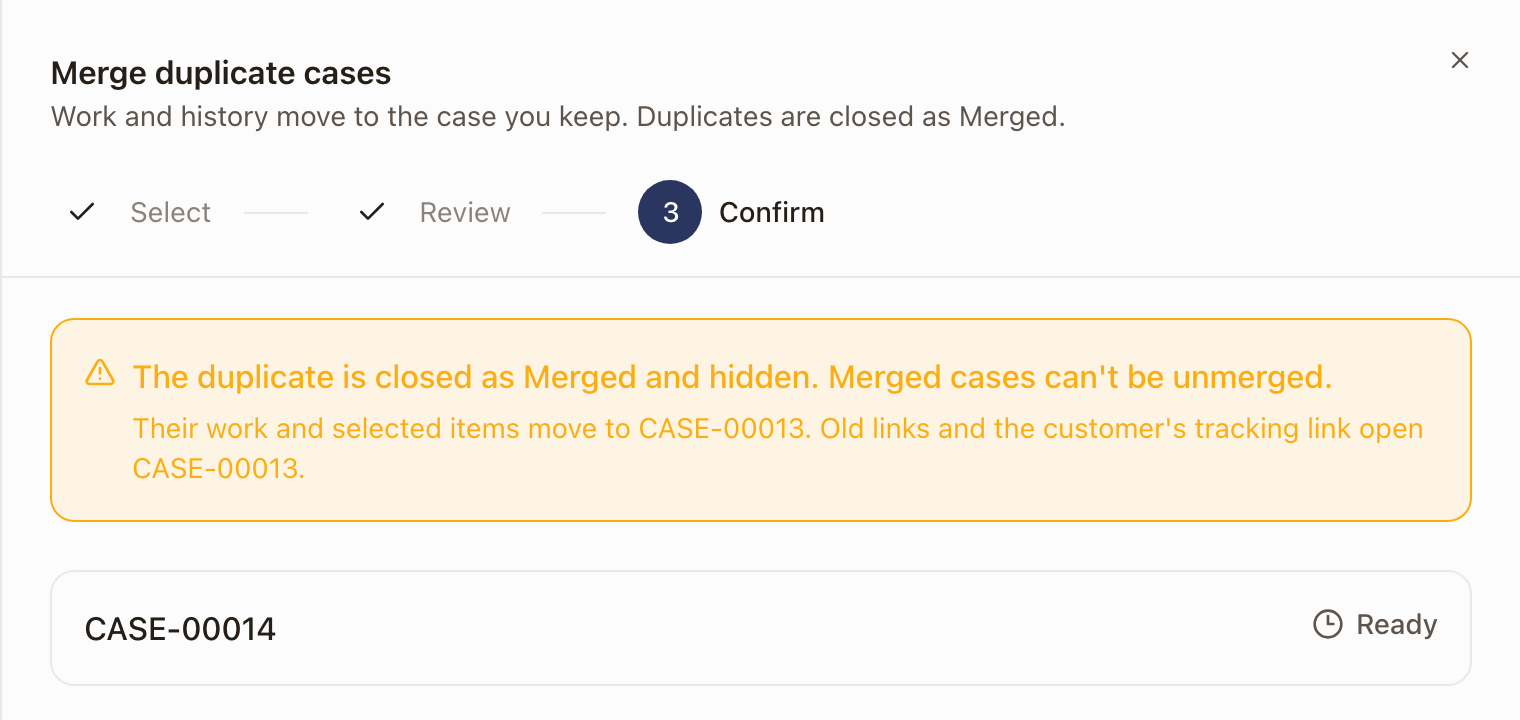
Read the warning, then click Merge 1 duplicate. When it finishes, click Done.
What moves
Always moves to the kept case: work orders, projects, quotes, opportunities, tasks, and RMAs.
You choose, item by item, whether these move:
- Notes, calls and emails, with their replies and files.
- Photos and files.
- Links to outside records. A link the kept case already has isn't listed.
- Field answers. A new answer is ticked and moves. When both cases answered the same field differently, Values differ appears and you pick which answer wins. The kept case's answer is picked unless you change it.
- Reported hardware.
Anything you leave unticked stays on the hidden case.
What the cases look like afterward
- The duplicate is closed with the resolution Merged and no longer shows in the Cases list, the counts, or search.
- The kept case shows an Also submitted card with what the duplicate's customer originally reported, and its Activity & timeline records which case was merged in and what moved.
- Links to the duplicate, including the customer's tracking link and their portal, open the kept case.
- If you started from the duplicate, solarOS takes you to the kept case when the merge finishes.
Check it worked
The Cases list shows one case where there were two, and its count goes down. The kept case opens with the details and items you chose.
Common problems
- A case is greyed out and can't be picked. The reason is shown on it: it's a different property, it belongs to a different customer, it's already closed, or it was already merged.
- I don't see Merge duplicates…. The case is closed, or your role can't close cases.
- I picked the wrong case to keep. Merging can't be undone. Review the details and what moves before you click Merge.