
Create a lead
Capture a new prospect before they're a customer.
A lead is a person who might want solar, tracked before you know enough about them to make them a customer. Capture a lead as soon as you have a name and a way to reach them.
Before you start
You need the Sales User, Sales Manager, Owner, or Admin role.
Steps
-
Go to Sales → Leads.
-
Click New Lead.

-
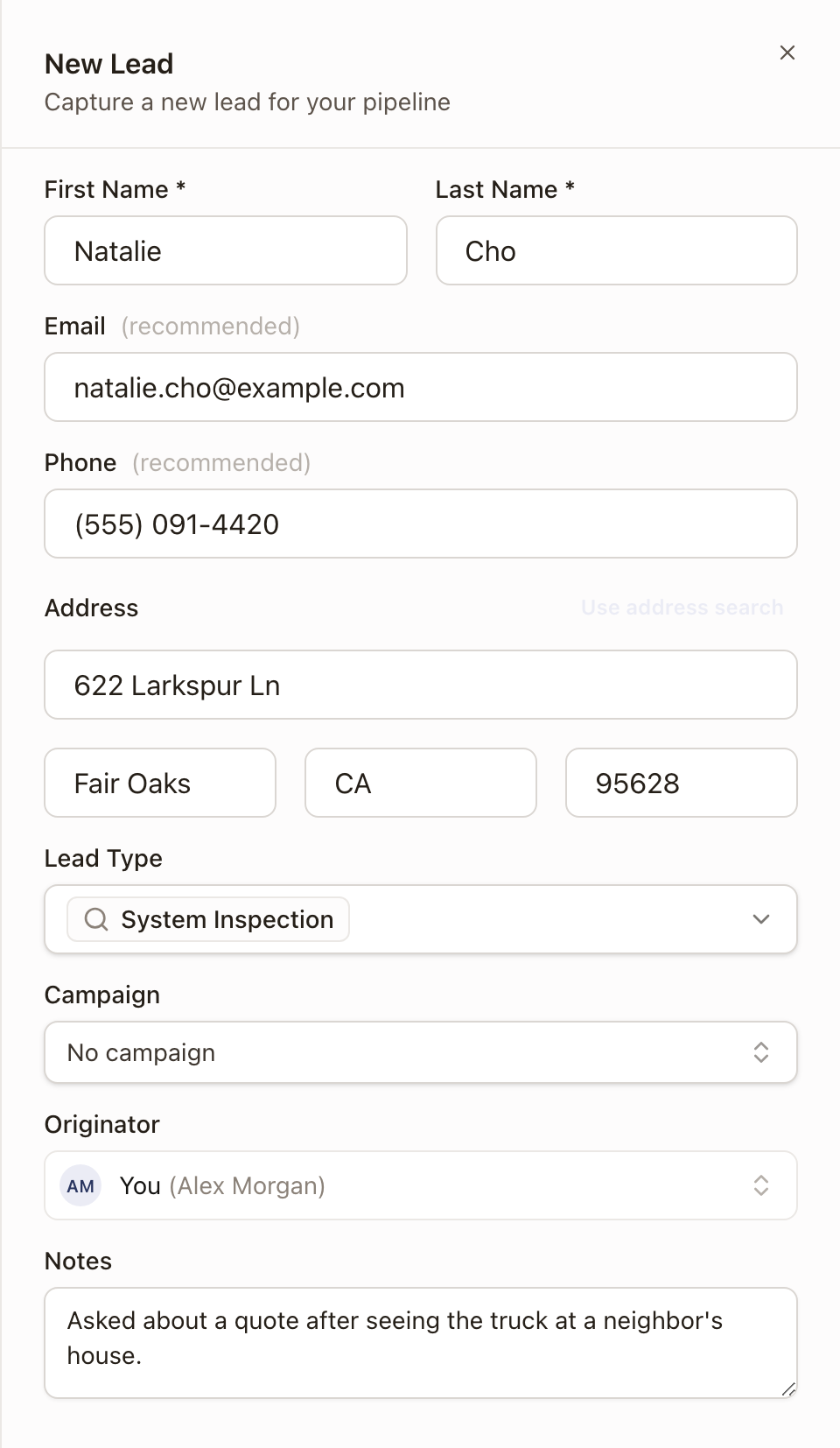
Enter First Name and Last Name. These are the only required fields.
-
Enter Email and Phone if you have them. Both are optional but recommended: a lead without an email can't be converted later without adding one.
-
Enter the property address, either by typing it into the address search or clicking Enter manually to fill in the street, city, state, and ZIP as separate fields.
-
Choose a Lead Type. This is a multi-select of your organization's sales types.
-
Choose a Campaign, if this lead came from one.
-
Leave Originator as you, or choose the teammate who should get credit for bringing in this sale. You can choose anyone active on your team.
-
Add any Notes.
-
Click Create Lead.
Check it worked
The drawer closes and the lead appears at the top of the Leads list with status New. Click its name to open its detail page. The Details card there shows the Originator. A Sales Manager, Operations Manager, Admin, or Owner can change it there. See Change an Originator.
Common problems
A duplicate warning appears while I'm typing. solarOS checks the name, email, phone, and address you're entering against existing customers as you type. A likely match shows a Customer already exists banner under the address.
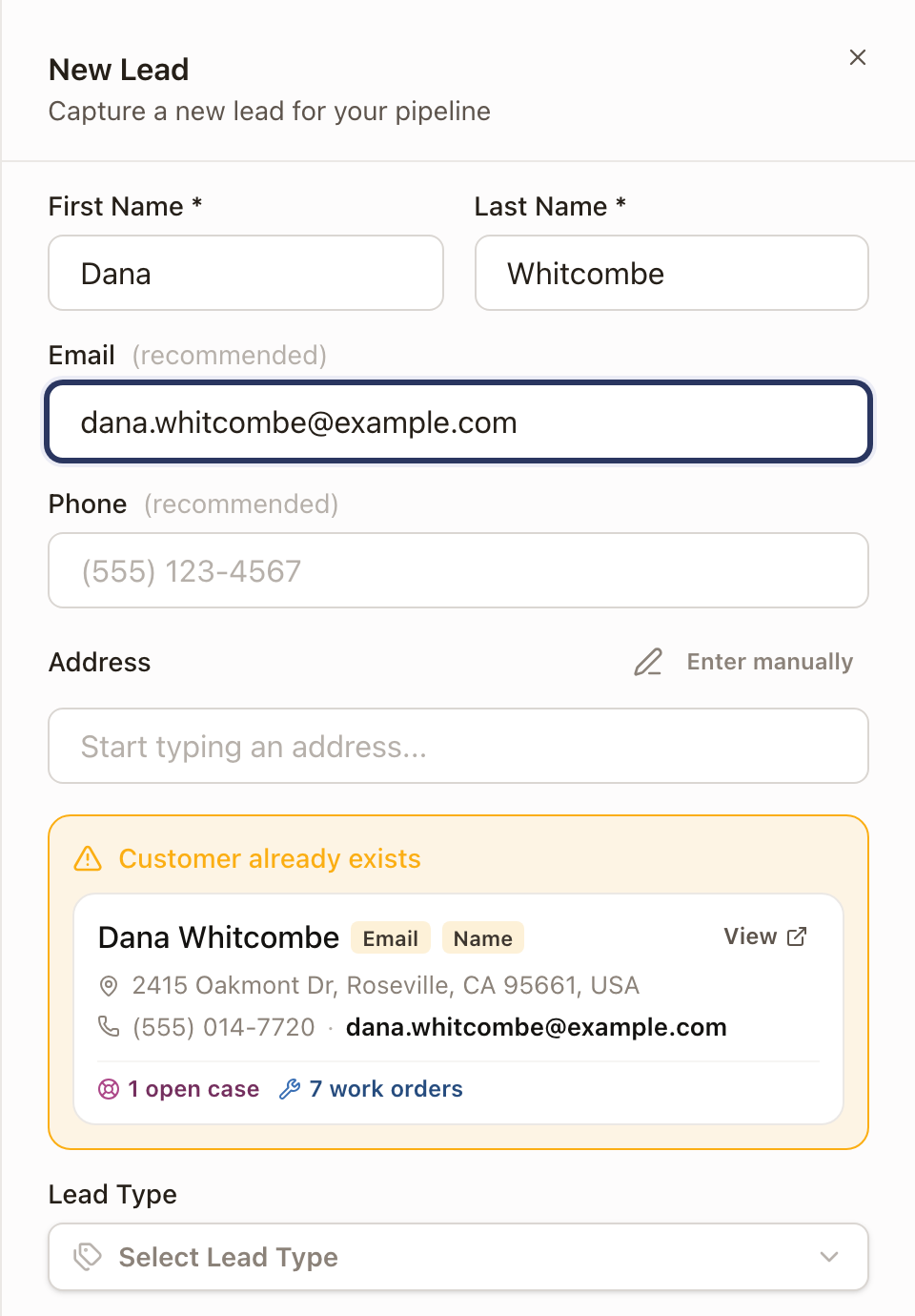
- Each match shows tags for what matched (Address, Phone, Email, Name), the customer's address, phone, and email, and their open work: open cases, quotes sent, work orders, or an active maintenance plan. A customer with none shows No open work.
- The closest match is listed first.
- An address matches even when it was typed a little differently, such as Drive for Dr.
- Click View to open the customer in a new tab.
The banner doesn't block you from saving, so check the match first so you don't create a second record for someone you already work with.