
Set up territories
Draw the areas your team works in, and know what Operations and Sales territories each actually change.
Territories are drawn areas on a map. Every property in solarOS is automatically matched against them, based on its address.
Before you start
You need the Owner or Admin role. This step is optional; skip it if your team works one area and doesn't need coverage rules yet.
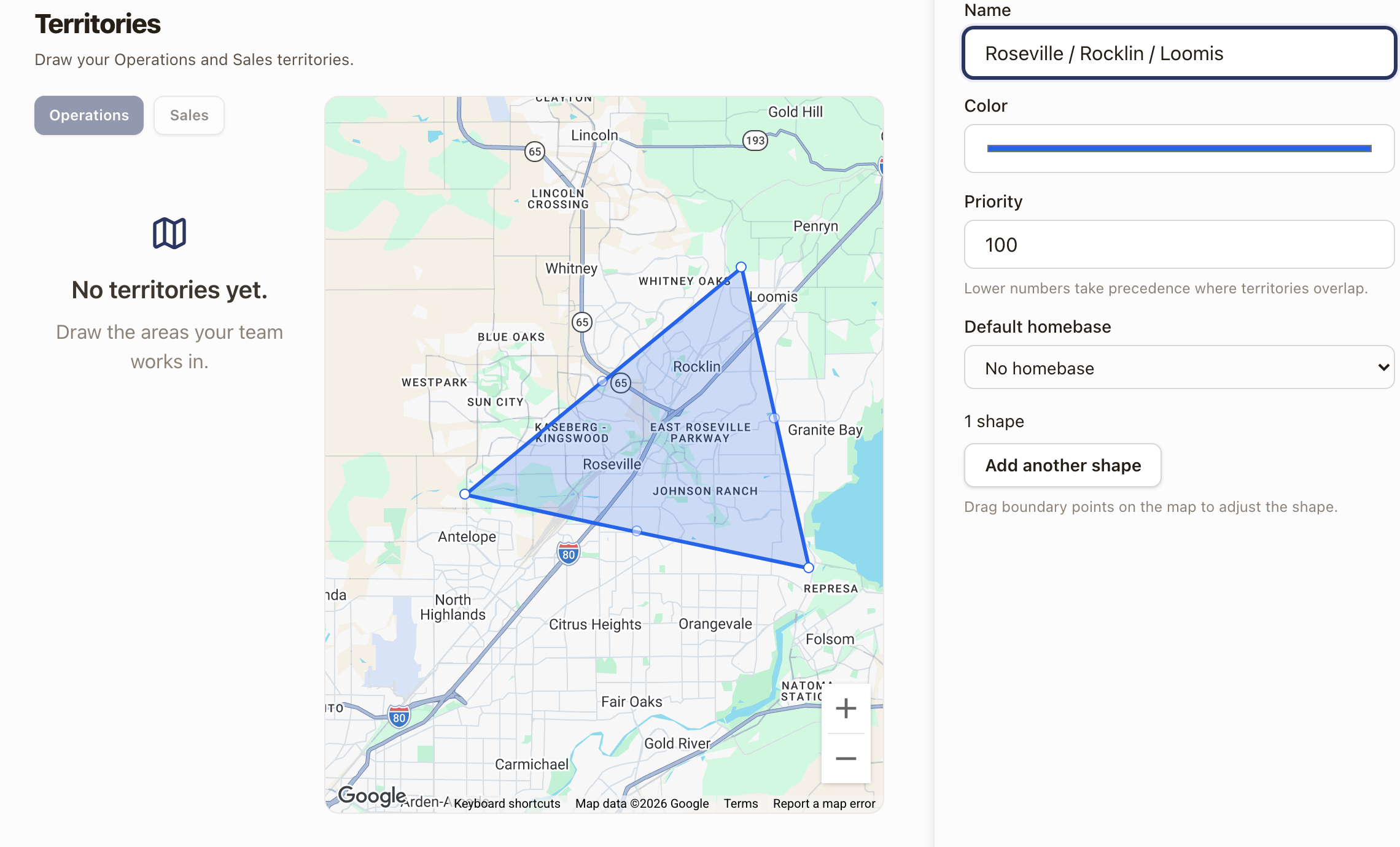
Draw a territory
- Go to Settings → Territories.
- Choose Operations or Sales.
- Click Draw territory.
- Click points on the map to place the boundary, then click Finish shape.
- Type a Name, pick a Color, and set a Priority (lower numbers win where territories overlap).
- Optionally set a Default homebase for this territory.
- Click Save territory.
What Operations territories change
Operations territories drive the Dispatch Board: the Territory button above the calendar narrows the board to technicians covering the territories you check, or to No coverage, the technicians not covered by any territory yet. The same choice is in the sidebar's Filter menu under Territory.
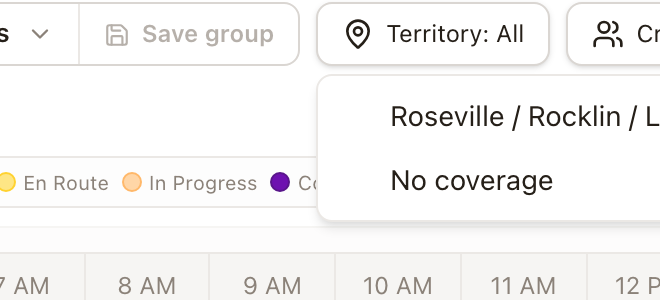
If checking a territory you drew turns up no technicians, nobody covers that area yet; see Set up technicians for scheduling to assign one.
What Sales territories do
Sales territories are shown on a customer's property and on Opportunity and Quote lists, so you can see and filter by area.
Overlaps
If two territories of the same type overlap on a property, Priority decides which one applies: lower numbers take precedence. The territories list warns you when a new shape overlaps an existing one and names it.
Check it worked
Open a property inside the shape you drew (Sales → Customers, then a customer with a property in that area). Its property card shows the matching Operations and Sales territory, or "Unassigned" if it falls outside every territory of that type.
For permit offices and jurisdiction-specific requirements, a separate directory exists: see Set up jurisdictions for permitting.
Common problems
Filtering the Dispatch Board to a territory I just drew shows no technicians. No schedulable technician is assigned to it yet. That's expected until you assign one.