
Work sales insights from your fleet
Turn a fleet-wide signal, like a battery or expansion opportunity, into a quote.
Not everything solarOS finds is a problem. An Opportunity-category alert, like a site consistently near its production capacity, shows up here as an Insight instead of on the Alerts page: the same record, viewed as a possible sale rather than a health issue.
Before you start
Anyone with Monitoring access can view Insights. Creating a quote from one needs the Owner, Admin, or Operations Manager role by default.
Steps
- Go to Monitoring → Insights. The list shows each insight's Group (for example, Battery add-ons, System expansion, Inverter upgrades), Est. Annual value, and Status. Click View as alerts to see the same records in the Alerts list layout instead.
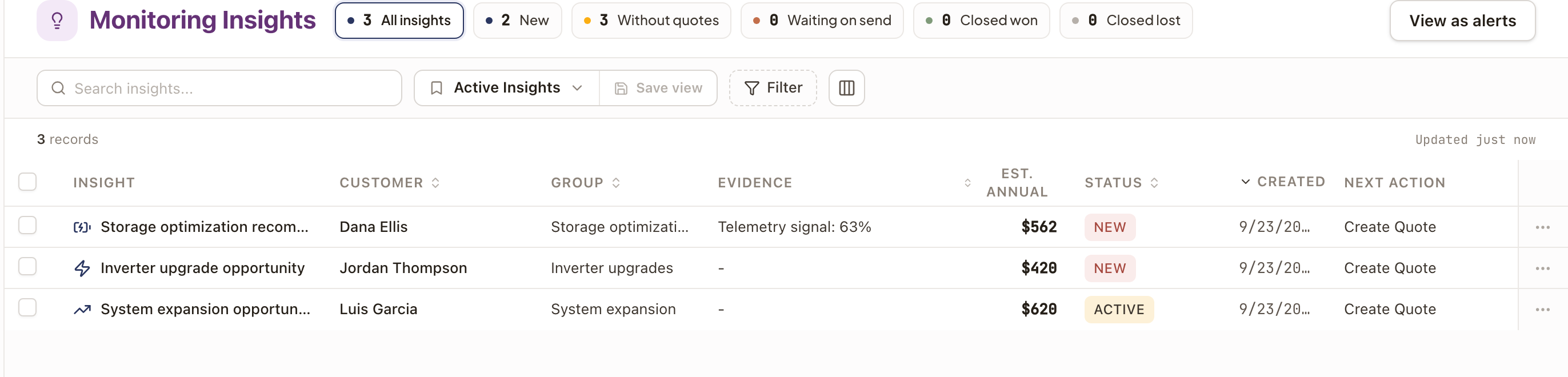
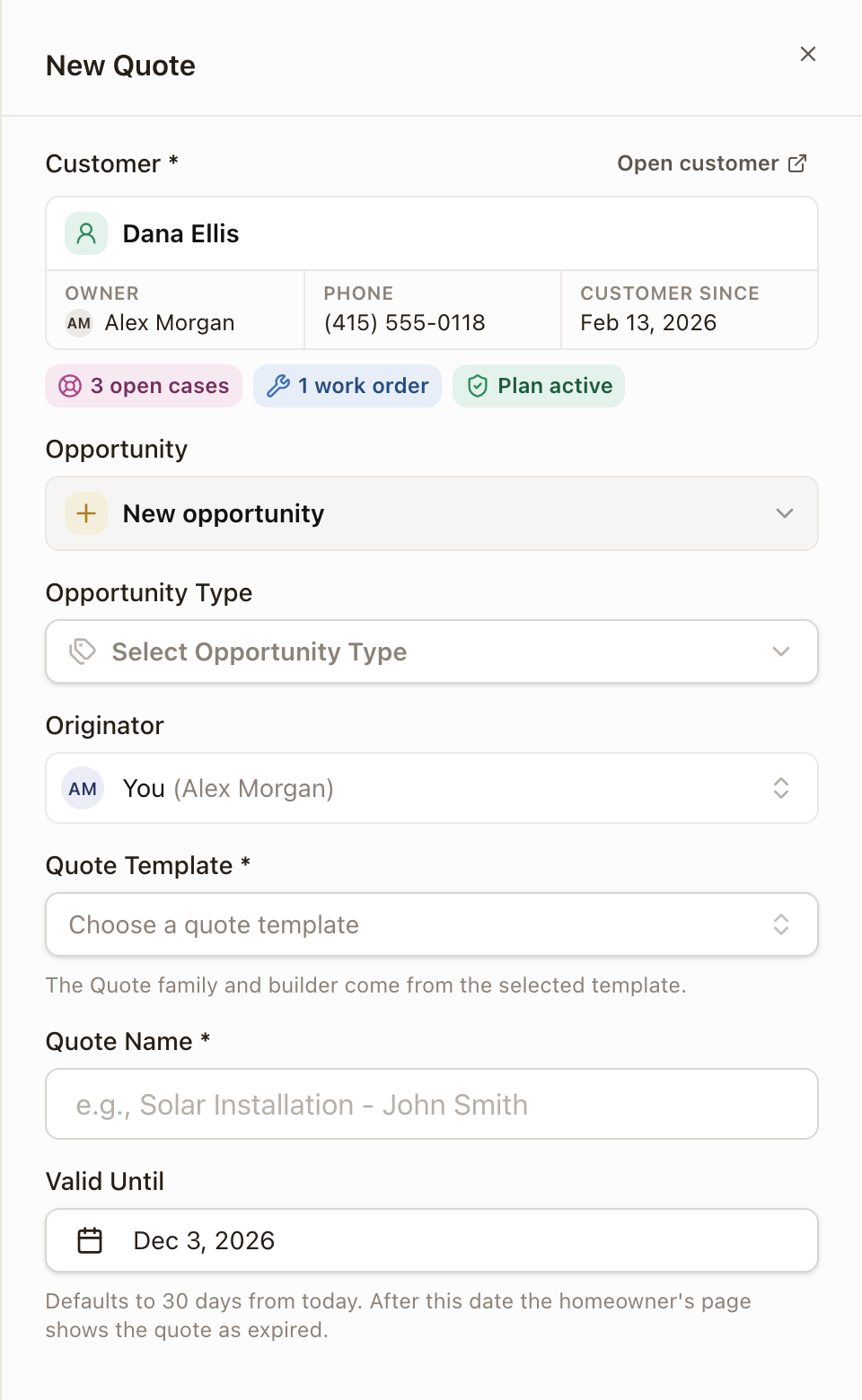
- Click Create Quote on a row's Next Action (or from its "..." menu) to turn it into a sale. This opens the standard New Quote form for that customer, with an Opportunity picked or created for you automatically.
- Select rows and click Dismiss selected if an insight isn't worth pursuing.
Check it worked
Once a quote exists for an insight, its status moves along the pipeline shown in the filter chips (for example, out of Without quotes).
Was this page helpful?