
Track Stripe payouts
See transfers from Stripe to your bank account once Stripe is connected.
Accounting → Payouts lists transfers from Stripe to your connected bank account. It's a direct read of your Stripe account; solarOS doesn't hold this data itself.
Before you start
You need the Owner, Admin, Sales Manager, Operations Manager, or Operations User role to view it.
What you see
Once Stripe is connected, the page shows three summary tiles, Paid (last 30 days), Next pending payout, and Failed (last 30 days) (with a count of payouts failed or canceled), above the payouts table:
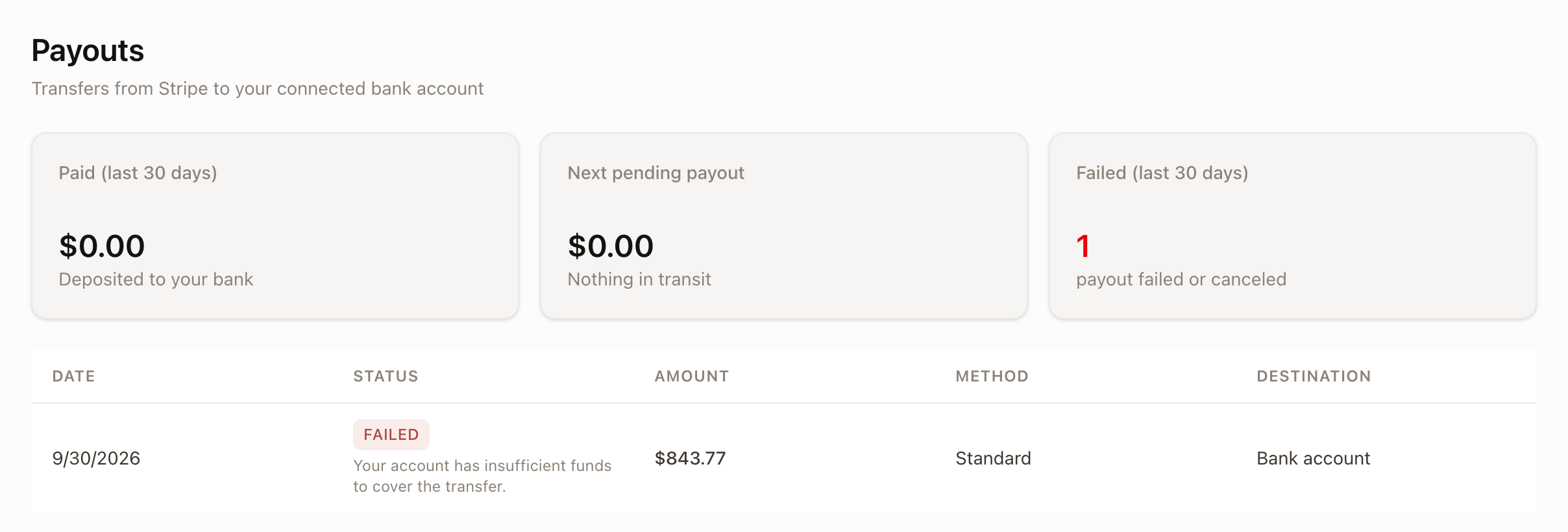
Each payout row (once one exists) shows its Date, Status (Paid, Pending, In transit, Canceled, or Failed, with a failure message if it failed), Amount, Method (Standard or Instant), and Destination (Bank account or Card).
Before any payout has happened
Right after connecting Stripe, or before Stripe has sent your first transfer, the table area instead reads No payouts yet: Payouts happen automatically after Stripe collects payment. This is expected: a payout only appears here once Stripe has actually collected and transferred money, on Stripe's own schedule, not solarOS's.
Until Stripe is connected
The page shows a different empty state instead of the summary tiles:
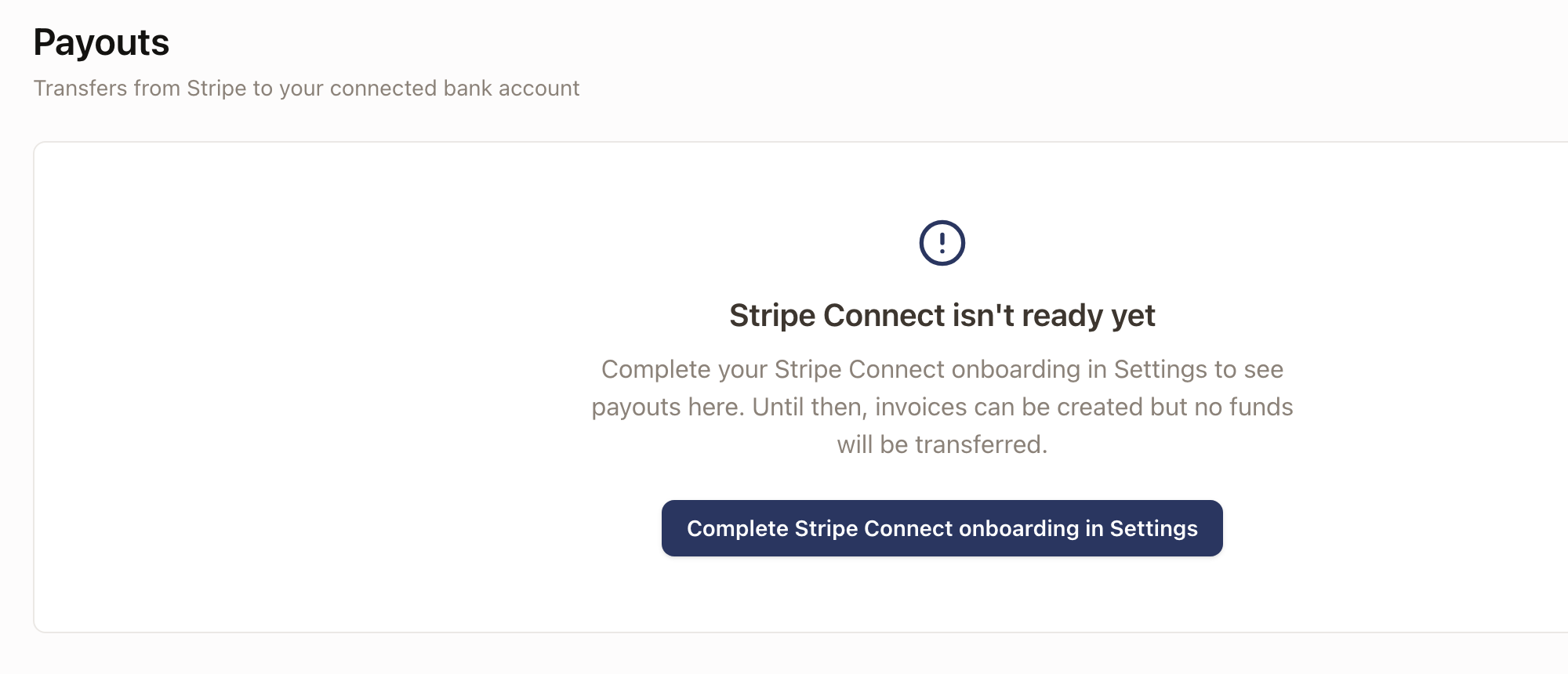
Invoices can still be created and sent while Stripe isn't connected; they just can't collect online payments, and no payout will ever appear here for them.
Common problems
- Payouts stays on "No payouts yet" after connecting Stripe. This is normal until Stripe sends its first transfer; give it time after your first collected payment. If invoices haven't collected any online payments yet, there's nothing for Stripe to pay out.