
Read the accounting reports
Review revenue, collections, and payment methods across a date range, and export the numbers.
Accounting → Reports holds the financial reports: revenue, collections, receivables, and payment methods. It lives under Accounting, not Analytics.
Before you start
You need the Owner, Admin, Sales Manager, Operations Manager, or Operations User role.
Read a report
- Go to Accounting → Reports.
- Choose a tab: Revenue Summary, Collections, AR (QuickBooks), or Payment Methods.
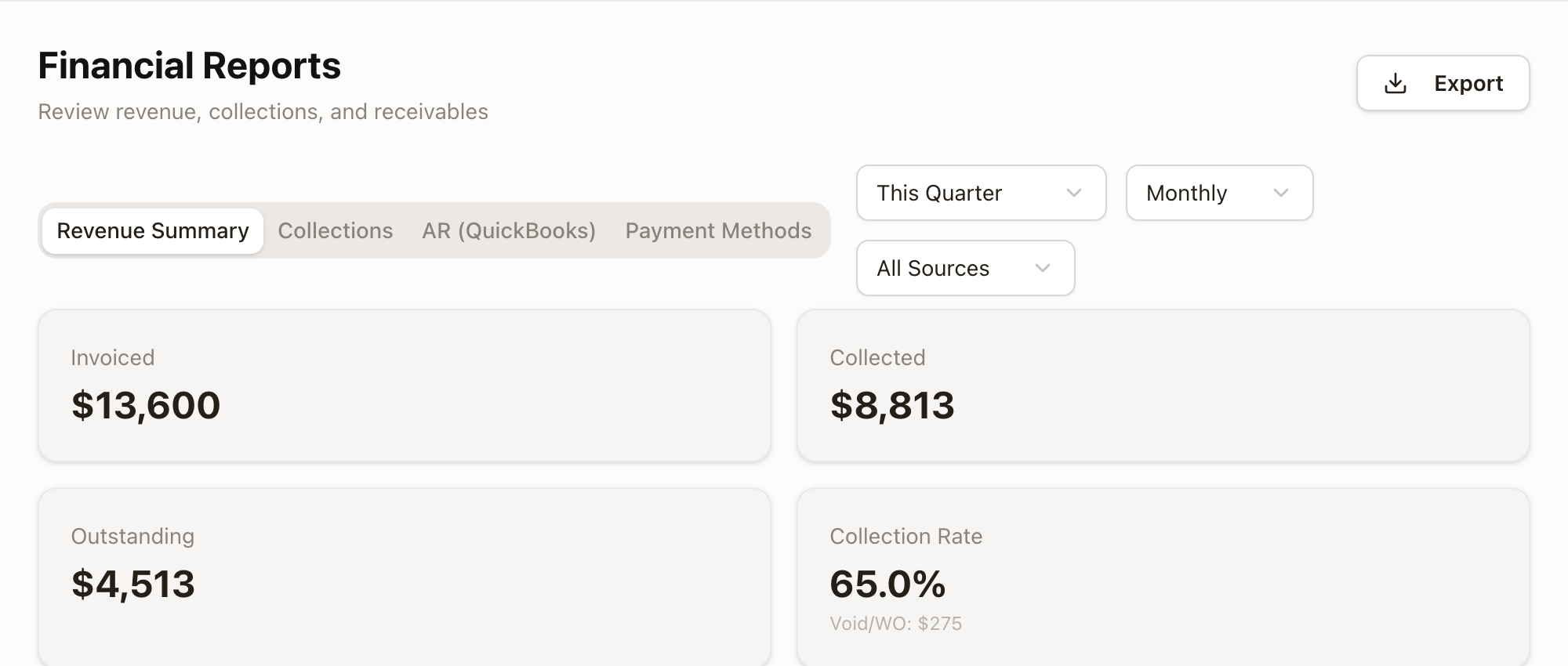
- Set the date range (This Month, Last Month, This Quarter, Last Quarter, This Year, Last Year, or Custom) and, on Revenue Summary, group results by Month, Quarter, or Year.
- Click Export for a CSV or PDF of the current tab. On AR (QuickBooks), Export CSV downloads that report.
Revenue Summary shows totals for Invoiced, Collected, Outstanding, and Collection Rate, plus revenue over time, by source, and by customer:
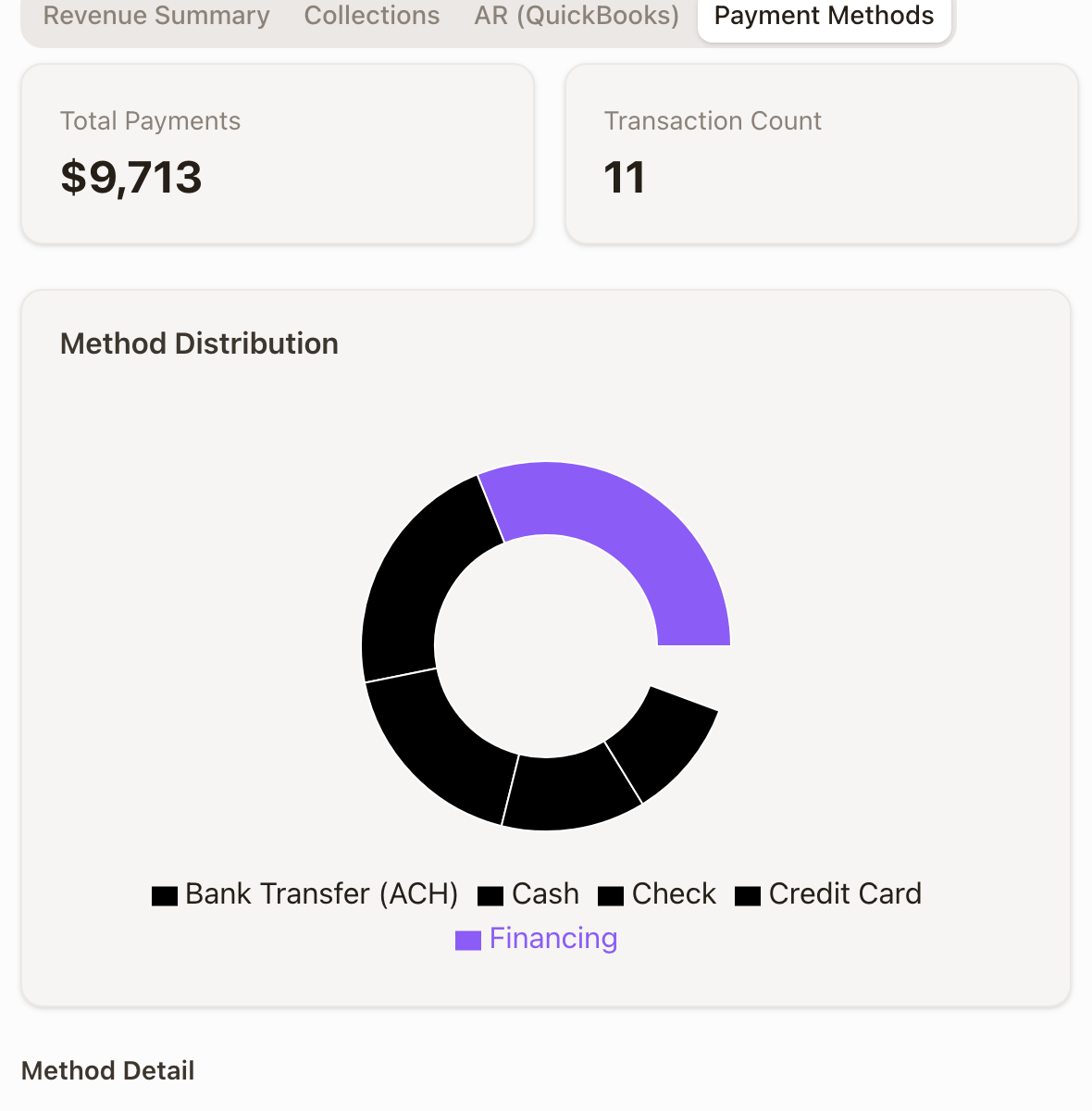
Collections shows total collected, payment count, average payment, and refunds by period. Payment Methods breaks payments down by method, with a trend over time:
AR (QuickBooks) is an accounts-receivable aging report sourced from QuickBooks. It only has data once QuickBooks is connected and its first snapshot has run. Once it has, the tab shows QuickBooks AR (grand total), Operating AR (excludes accounting adjustments), and Accounting adjustments, an Aging (QuickBooks buckets) breakdown (Current, 1–30 days, 31–60 days, 61–90 days, 91+ days), filters for bucket/customer/type/verdict, a Receivables by customer list, and an In solarOS, not in QuickBooks panel totaling Unbilled milestones and Held invoices still waiting to reach QuickBooks, each linking to Billing Review:
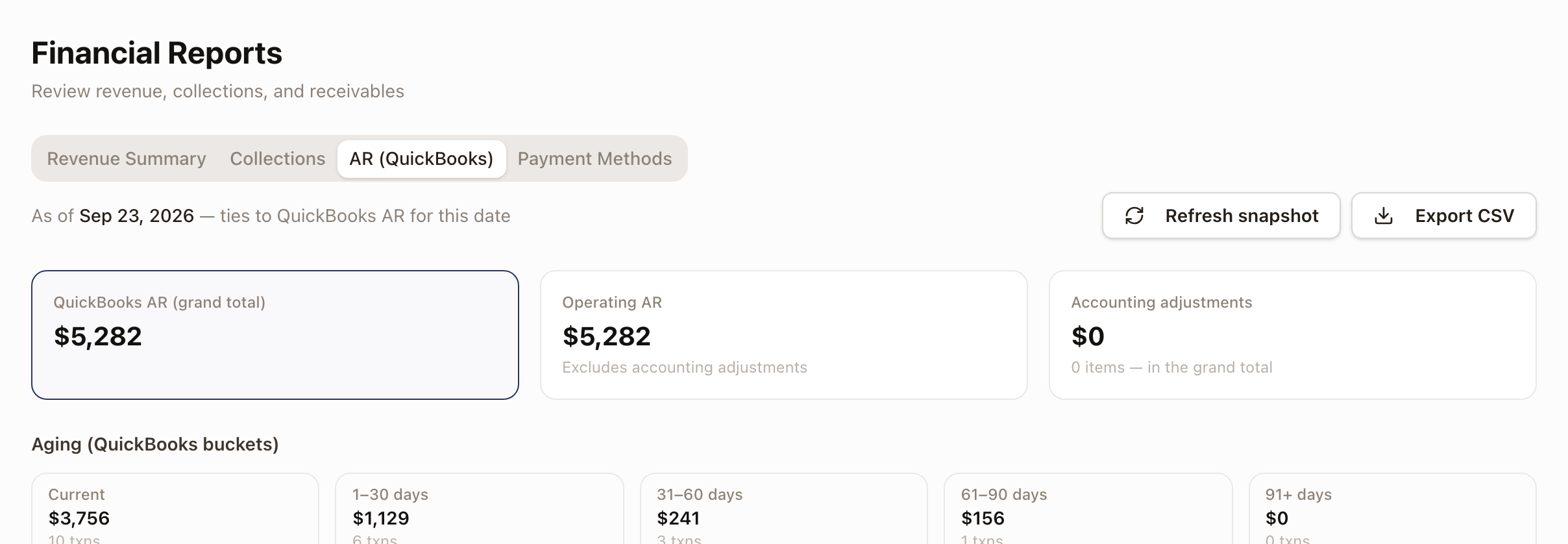

Like Billing Review and Audit, this tab has its own Refresh snapshot button and reads "As of" the QuickBooks snapshot date, not live.
Common problems
- AR (QuickBooks) is empty. Either QuickBooks isn't connected for your organization, or it's connected but no snapshot has run yet. Click Refresh snapshot and check back in a few minutes. Everything else on this page works without QuickBooks.
- A report doesn't match what you expected. Check the date range and group-by first; a period with few invoices can swing percentages like Collection Rate a lot.