
Build a maintenance plan
Set the price and deliverables of a subscription plan customers can sign up for.
A maintenance plan is what a customer subscribes to: a price, monitoring access, and whatever real deliverables you promise on top of it, like an annual inspection or a panel cleaning.
Before you start
You need the Owner or Admin role.
Steps
- Go to Settings → Maintenance plans.
- Click Create Plan.
- Under Plan Details, type a Name, Description, and any Terms and conditions customers must accept.
- Under Pricing, set a Monthly Price and, optionally, an Annual Price. Set a Response SLA hours and an Underproduction alert limit (%). These become the plan's own service promise; they don't have to match your org-wide defaults under Monitoring alerts.
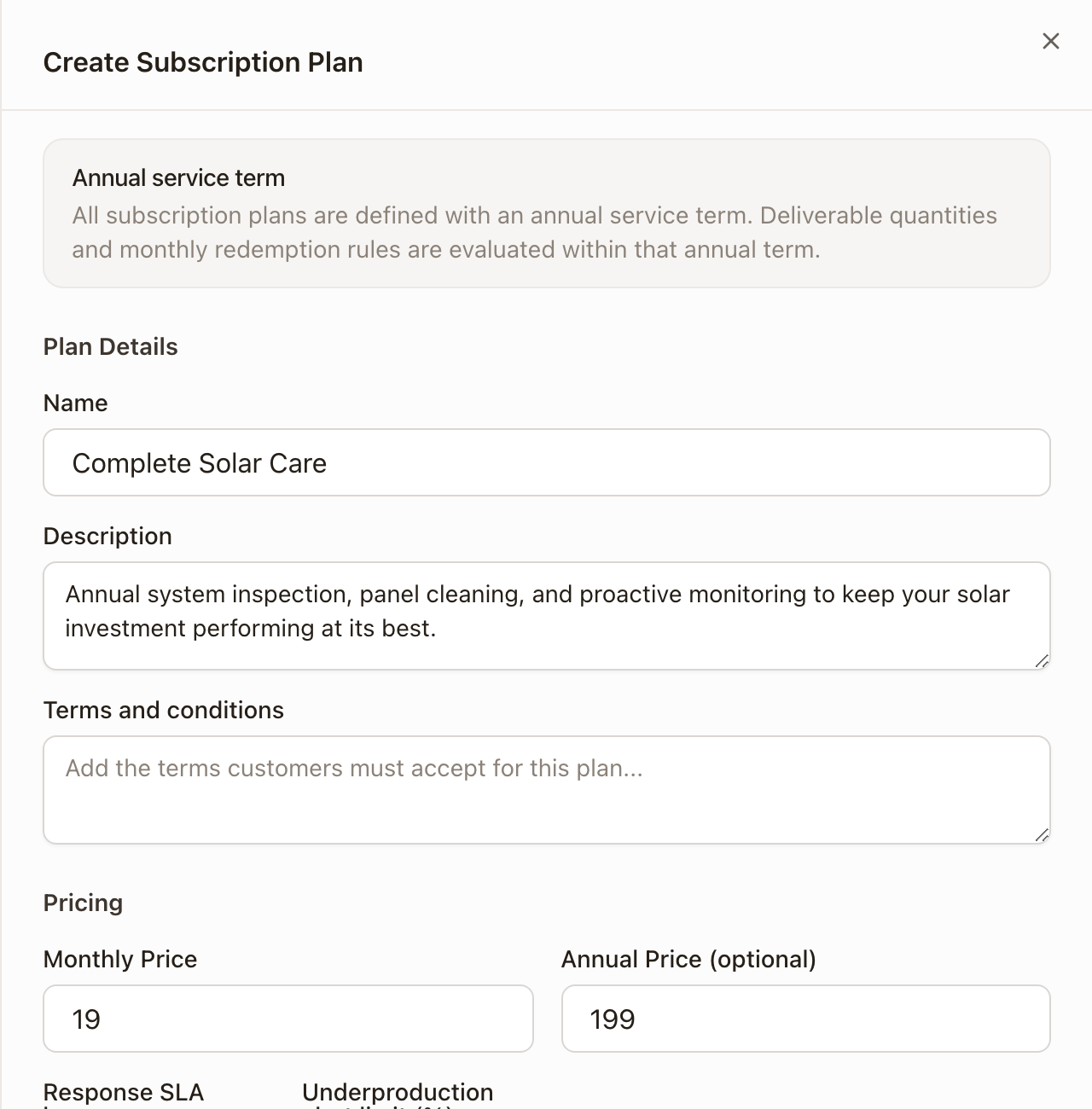
- Monitoring is always included on a plan; there's no way to sell a plan without it.
- Under Deliverables, click Add Deliverable for each real obligation the plan promises: pick a Deliverable Type, optionally a Project Template to build the fulfillment work automatically, a Name, and a Quantity per period.
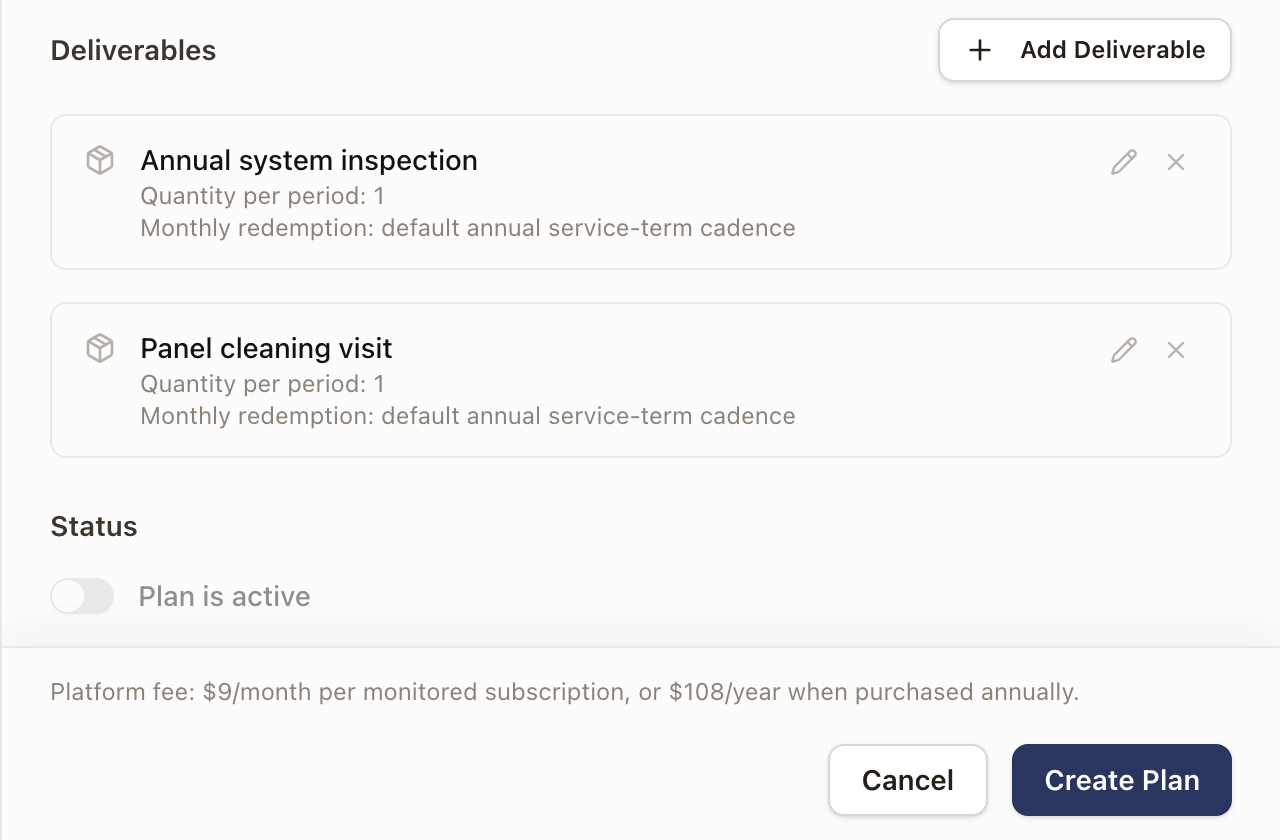
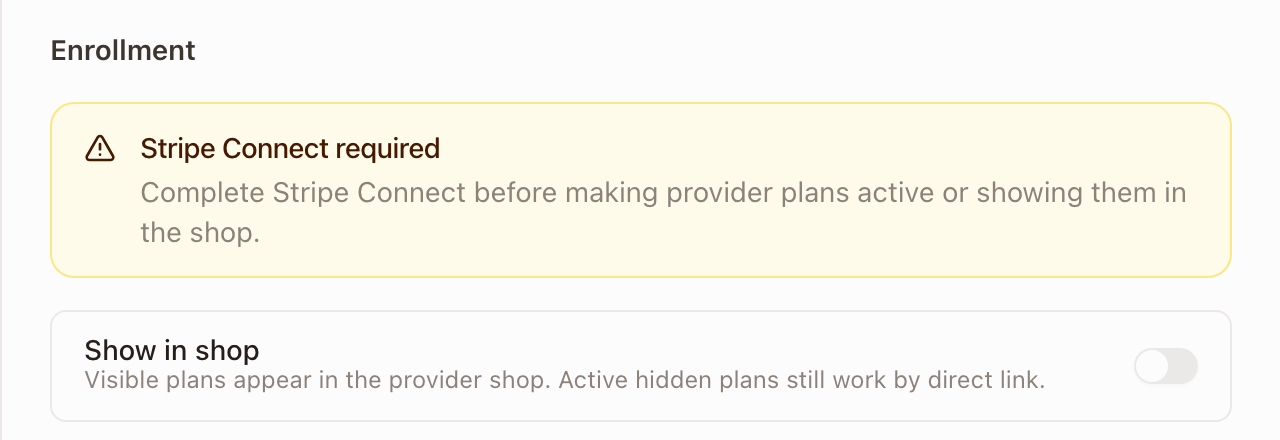
- Leave Status → Plan is active and Show in shop as they are if Payments isn't connected yet; both require it (see below).
- Click Create Plan.
What a deliverable actually fulfills
If you pick a Project Template for a deliverable, earning it creates a real project from that template automatically, so the crew's work is scheduled and tracked like any other job. Leave it as No template and earning the deliverable instead opens a manual drawer where someone picks a work type and types a title; still trackable, just not template-driven.
A plan with zero deliverables still sells and bills monitoring. It just doesn't promise anything schedulable beyond monitoring access.
Payments is required to go live
A new plan can't be turned Active or shown in the shop until your organization completes Payments → Stripe Connect. This guide doesn't walk through connecting it (see Monitoring setup for why). Until then, you can fully build and save a plan, its price, and its deliverables; you just can't flip it on or share its signup link.
Every monitored subscription also carries a platform fee, shown at the bottom of the builder (for example, $9/month or $108/year per subscription); this is what solarOS charges you, separate from what you charge the customer.
Editing a plan with existing subscribers
Changing a price or term on a plan that already has subscribers creates a new Plan Version rather than changing what current subscribers pay. Existing subscribers stay on the version they signed up under; only new signups get the new terms.
Check it worked
The plans list shows your plan's monthly and annual price, deliverable count, and subscriber count. Click Manage on it any time to see its version history.
Common problems
The Active toggle is greyed out and won't switch on. Payments (Stripe) isn't connected. See the banner on this screen for the exact requirement; this can't be worked around from the plan builder.
A deliverable's fulfillment project used a generic drawer instead of my template. Check that the deliverable has a Project Template set, not "No template."